

Starting a business can feel overwhelming—so many things to manage, track, and organize. That’s where SmartDukaPOS Made Easy comes in. Whether you’re running a small shop, a kiosk, a restaurant, or planning to start one, this simple guide will help you understand what SmartDukaPOS is, how to use it, and why it’s perfect for your business.
If you can use a smartphone, you can use SmartDukaPOS. Let’s show you how!
What Is SmartDukaPOS?
SmartDukaPOS is a simple, easy-to-use system that helps you manage your business digitally. Think of it as your smart assistant that helps you:
- Track what you’re selling.
- Manage your stock.
- See daily profits and expenses.
- Serve customers faster.
- Run your shop from your phone or computer.
A simple SmartDukaPOS dashboard:

See all features here.
You don’t need any special equipment or training to use it. Just sign up, log in, and start working smarter—not harder.
Why Use SmartDukaPOS?
Here’s how SmartDukaPOS helps you grow:
- Saves time: Everything is automated—no more writing in books.
- Gives you control: Know what’s selling and what’s not, in real-time.
- Saves money: Avoid losing stock or forgetting to record sales.
- Keeps your data safe: Your information is backed up and protected.
- Works anywhere: From your shop, home, or on the go.
Whether you’re a student with a side hustle, a kiosk owner, or managing a mini supermarket, SmartDukaPOS Made Easy is for you.
How to Get Started in 4 Steps:
Getting started is super easy. Just follow these 4 simple steps:
1. Go to the Website
Visit smartduka Click on “Get Started.”

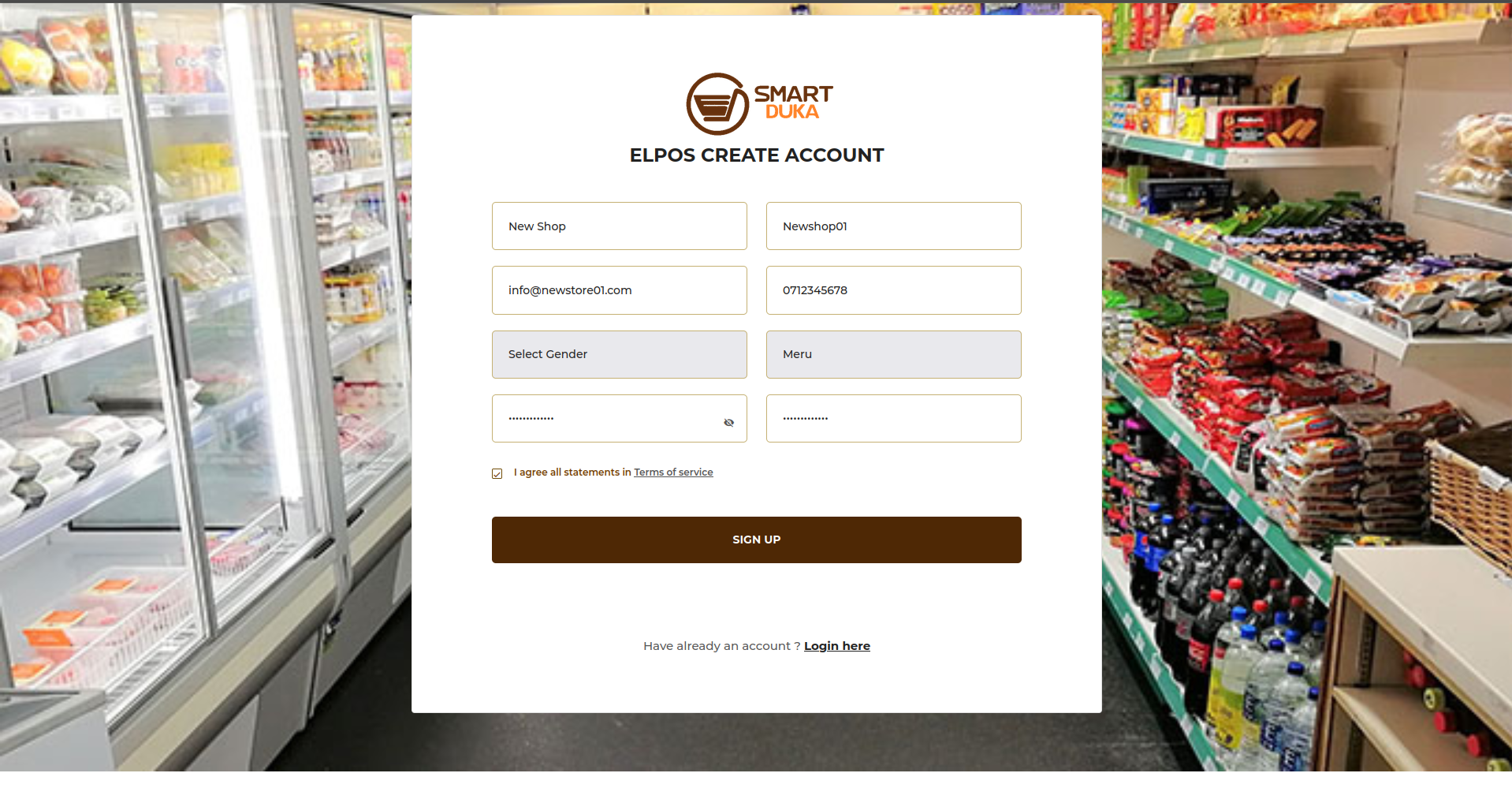
2. Create Your Account
Enter your name, username, gender, phone number, and choose a password. That’s it!
Proceed to make the payment as per your shop type;
After making the payment using M-Pesa enter the transaction code below and complete the registration and account creation.
Now register your shop by entering the data about your shop and click Register Shop.
On successful registration of shop, you are redirected to the dashboard where you can access other shop details, settings, reports and more. Next thing is to add your products and prices, including categories and sub categories.
Before you add any product, you have to create category and sub category from the tabs on the sidebar. Also, you need to create brand from the brands tab, then you can use them to create a product from the listed options.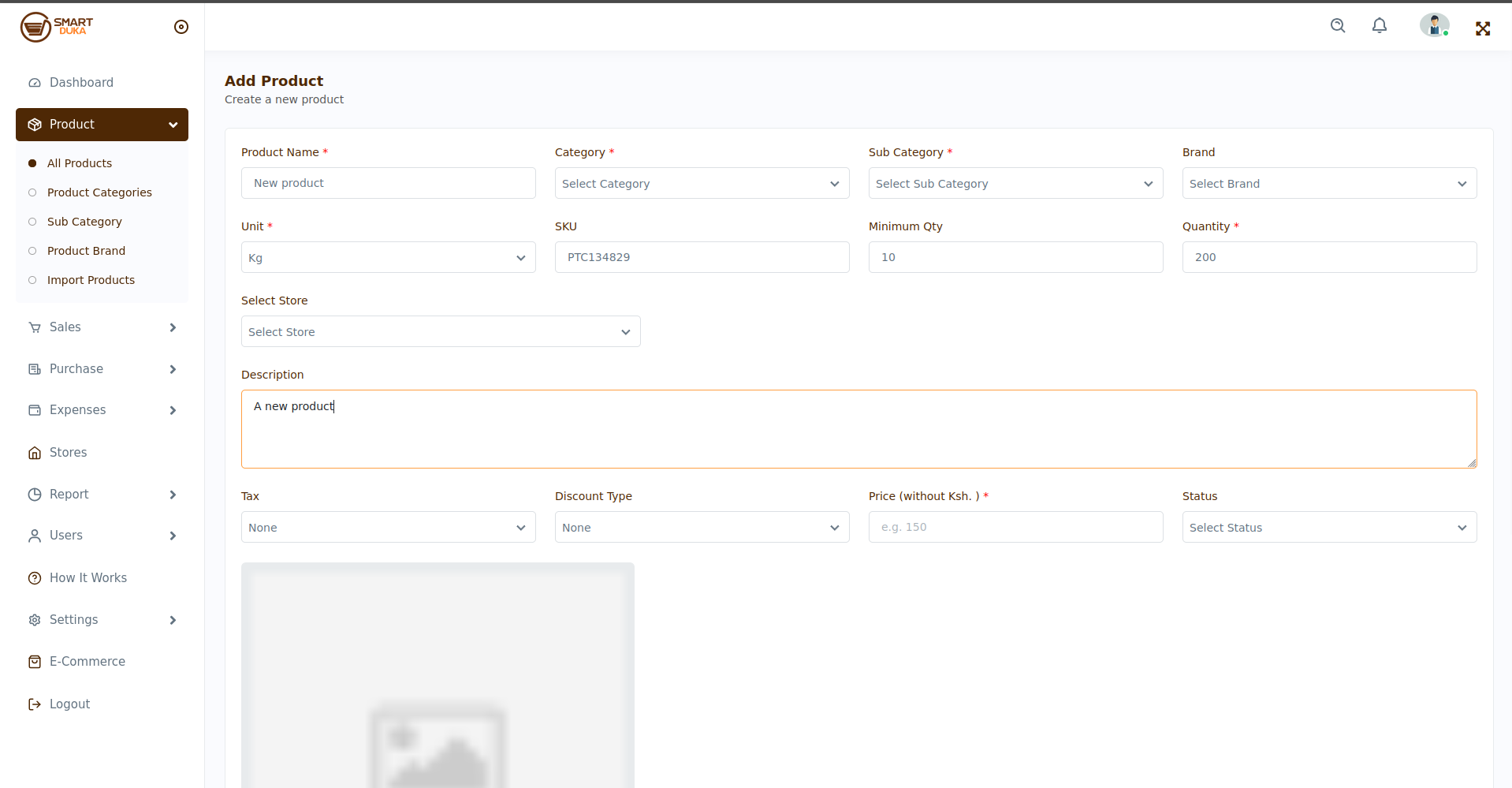
3. Start Selling
Visit POS from the Sales tab and make the sale. The POS displays currently available products, price and discounts/VAT and works the cost fully for purchase. A receipt is generated upon successful payment.

Now you’re ready to make sales! Tap the product, enter the quantity, receive payment, and give a receipt—all with a few clicks.
Now track your business with daily sales, what’s selling best and know when to restock.
Tips for New Business Owners
Here are a few tips to help you grow with us:
- Keep your product list up to date
- Use daily reports to plan restocking
- Give different staff their own login for security
- Set clear roles for your workers (cashier, manager, etc.)
What If You Need Help?
You’re never alone. We have a support team ready to help you 24/7.
- Call us: +254 115 899 255, +254 790 291 643
- Send us a mail on: info@smartdukapos.com, support@smartdukapos.co
Final Thoughts: Take Control of Your Business Today
SmartDukaPOS is not just software—it’s your business partner. If you’ve ever said, “I want to run my business better,” then this is your chance. With SmartDukaPOS Made Easy, you don’t need to be a tech expert. All you need is the will to grow.
Ready to simplify your shop and sell smarter? Start today.